
One reason that an order may end up in query is if the tax rate cannot be found in Xero. This usually happens if the tax code has not been mapped correctly, or you start using a new tax rate.
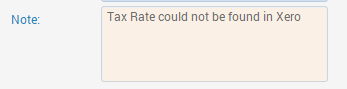
This query will display within the order itself as below:
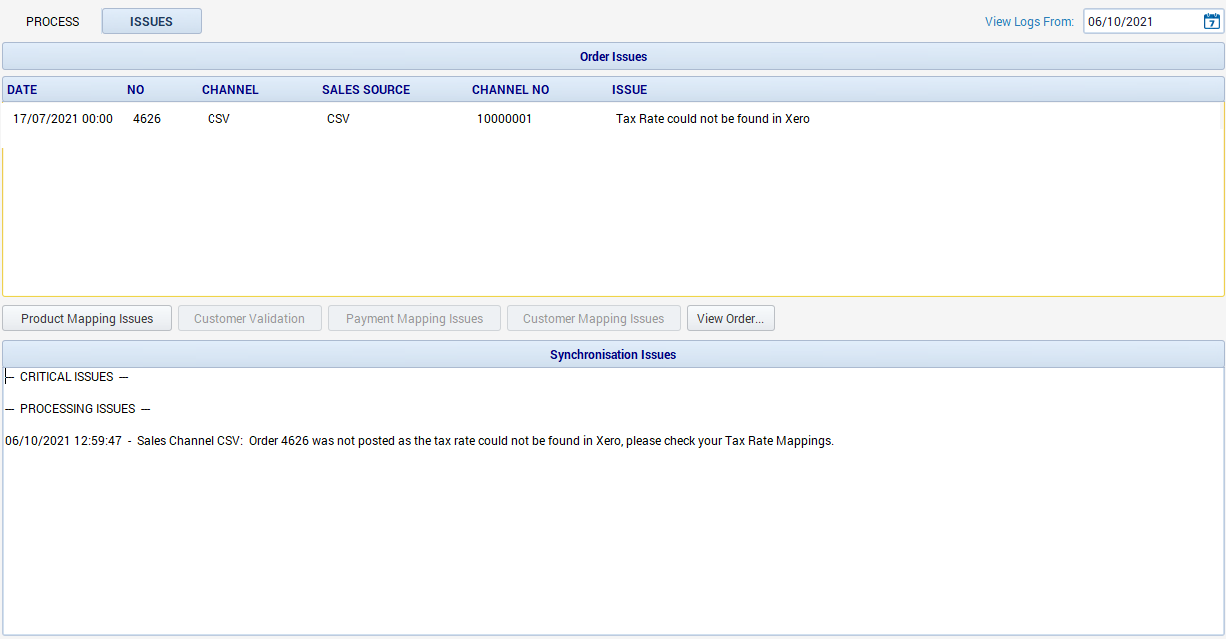
It will also show an entry in the Issues Log, both in the Order Issues and Synchronisation Issues section.
To resolve this, open the order and double click on the item line to check which tax code is being used.
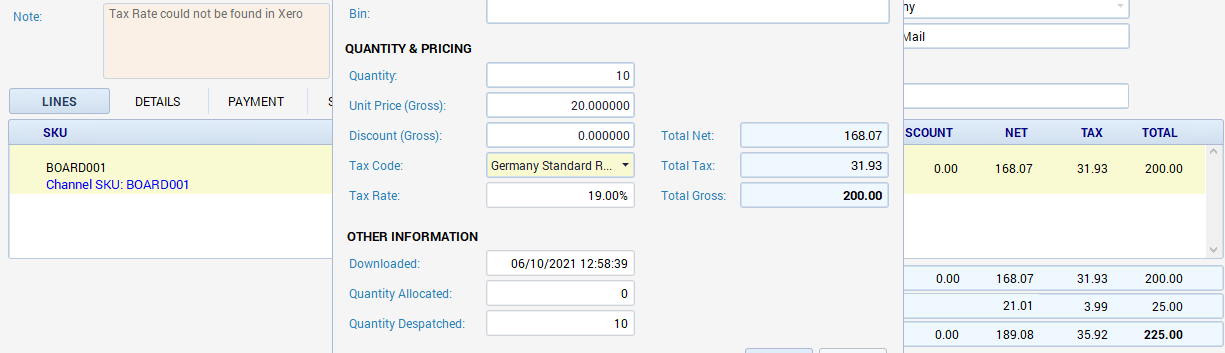
In the above example, it's the Germany Standard Rate that is affected. To address this, close the order and go to Channels, double click on the relevant channel and go to the Xero tab, then select the Tax Rates tab.
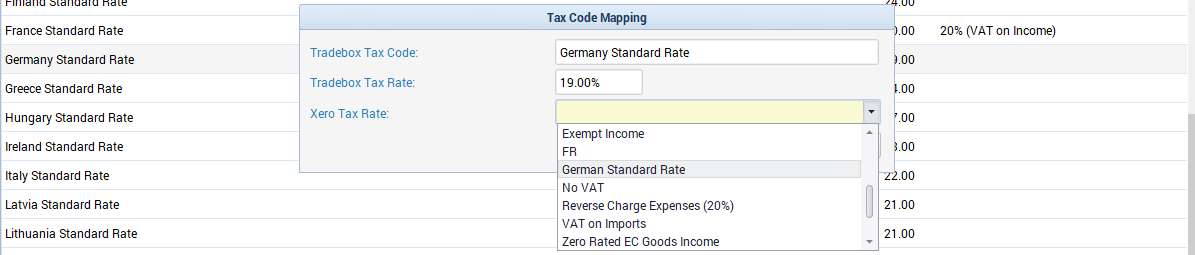
The query happens when the Xero Tax Rate column is blank. To resolve the issue, double click on the relevant tax rate and choose the corresponding Xero tax rate from the drop down list. Once that has been allocated and save, the orders will come out of query on the next posting attempt.
Comments
0 comments
Article is closed for comments.